
Your China Internet Plan Should Be Boring
Your first hour in China depends on your phone. Choose your data plan, map backup, translation setup, and battery plan before the plane lands.
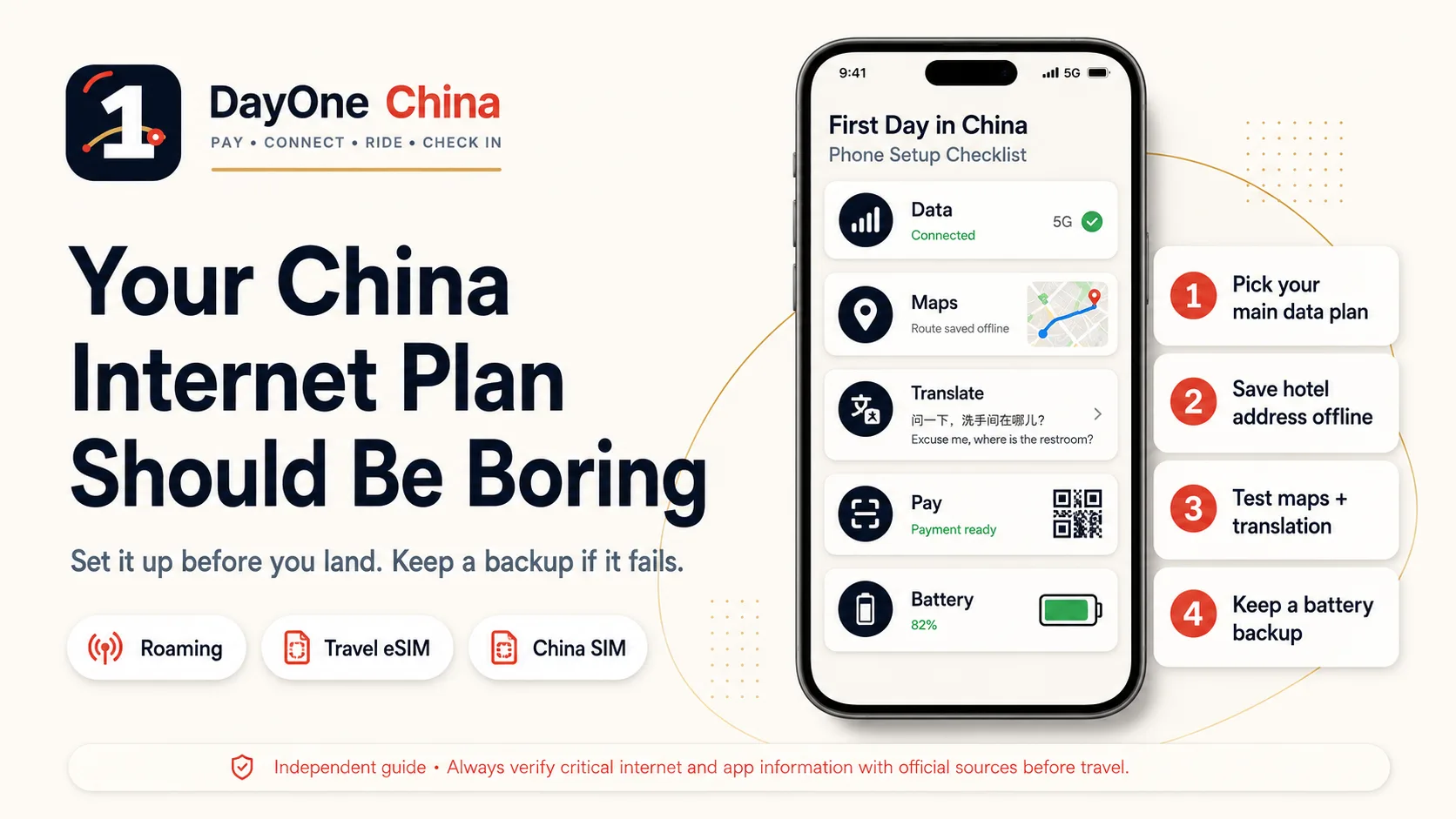
The best China internet plan is not impressive.
It is boring.
It works when you land. It lets your payment app open. It lets your map find the hotel. It gives you enough signal to message a driver, translate a menu, show a hotel address, and open your backup PDF when something gets weird.
That is all.
You do not need a perfect tech setup. You need a first-hour setup that does not fall apart.
The first mistake: treating internet as a "nice to have"
In China, your phone is not just your phone.
It is your wallet, taxi tool, map, translator, train-ticket reference, hotel contact, restaurant menu reader, and emergency backup.
If your data fails after landing, several other things can fail with it.
You may not be able to open Alipay or WeChat Pay. You may not be able to confirm a DiDi pickup point. Your map may not load the hotel. Your translator may not work when the driver calls. A PDF link may sit there, useless, inside a browser that cannot refresh.
That is why the internet plan comes before the travel plan.
Choose one main connection plan and one backup
Do not try to solve everything with one option.
Pick a main plan. Then pick a backup.
Here is the practical version.
| Option | Best for | Main risk |
|---|---|---|
| International roaming | Short trips and travelers who want the simplest arrival | Can be expensive; speed and access vary by carrier |
| Travel eSIM | Data-first travelers who want setup before flying | Usually no Chinese phone number; some services may still need SMS |
| China SIM | Longer stays or people who need a local number | Requires passport and local setup time |
| Hotel Wi-Fi | Indoor backup | Not useful when you are moving through the airport |
For most first-time visitors, a safe setup looks like this:
Plan A: roaming or travel eSIM for the landing hour. Plan B: hotel Wi-Fi or airport Wi-Fi only as a short backup. Plan C: China SIM later if you need a local number.
Do not make your first hour depend on finding a SIM counter while jet-lagged.
Roaming: boring, expensive, useful
International roaming is often the least elegant option.
It can also be the easiest.
If your carrier offers a China roaming package, check the price, daily limit, speed, hotspot rules, and whether it works for the cities you will visit. Turn it on before departure if needed. Screenshot the setup page.
Roaming is not always cheap. But it may be worth it for the first day because it reduces moving parts.
No SIM swap. No airport counter. No local form. No guessing whether your eSIM installed correctly.
If you use roaming only for the landing day and switch later, that is still a good plan.
Travel eSIM: install it before you need it
A travel eSIM can be excellent for China.
But it is not magic.
Install it before the flight. Read the activation instructions. Know whether it activates immediately or only when it connects to a China network. Check whether it is data-only. Check whether hotspot is allowed. Save the provider's help page offline.
Most importantly, do not assume a data-only eSIM can receive SMS messages from Chinese services.
That can matter if an app asks for phone verification, bank verification, or account recovery.
If your payment or ride-hailing setup depends on SMS, make sure your regular number can still receive messages abroad, or prepare another option before you land.
China SIM: useful, but not always a first-hour plan
A local China SIM can be useful, especially for a longer stay.
A local number may help with some services, deliveries, local calls, or verification steps. But it usually requires passport registration and time at a carrier counter or service office.
That makes it a good deeper setup option, not always the best first-hour option.
If you want a China SIM, check official city or operator guidance before you fly. Prepare your passport. Allow time. Use a directly operated service hall or official airport service counter when possible.
The Beijing Municipal Government publishes a public guide for purchasing SIM cards in Beijing. Other cities may have different rules — verify directly with the local operator before traveling.
Do not assume every airport, counter, plan, passport type, or arrival time will work the same way.
iPhone and eSIM: check your exact device
Do not just ask, "Does China support eSIM?"
Ask the more useful question:
Does my exact phone model, purchase region, carrier, and plan support the eSIM setup I want to use?
Apple's mainland China eSIM support rules are model- and carrier-specific. A China-mainland carrier eSIM is not the same thing as a travel eSIM from an overseas provider. Your phone model matters. Your purchase region can matter. Your location at activation can matter.
This is not something to discover at baggage claim.
Apple maintains an official support page describing iPhone eSIM behavior in mainland China. Check it against your exact model and purchase region before you fly.
Check before you buy the plan.
What about VPN?
This is where people get distracted.
Yes, some overseas apps and websites may not work the same way on mainland China networks. That can include services you use every day at home.
But the practical travel rule is simple:
If you depend on a specific app, test your access plan before you fly.
Do not wait until you are already in China to download, install, subscribe, log in, reset a password, or test a tool you need for work, family messages, maps, email, files, or travel documents.
Also do not make your entire first day depend on one VPN or one overseas app.
Prepare offline backups:
- Save your hotel address in Chinese
- Save your Full Kit PDF offline
- Save key screenshots
- Install at least one China-ready map app
- Download offline translation where possible
- Keep important confirmation numbers outside your email inbox
- Save emergency contacts locally
A VPN may help with certain services. Offline preparation helps when everything else fails.
Maps: do not rely on one app
This is one of the easiest mistakes to avoid.
Before you fly, install at least one China-ready map app or keep Apple Maps available where supported. Save your hotel address in Chinese characters. Save train station names in Chinese. Save airport terminal and pickup information. Screenshot the route from the airport to your hotel.
Then do the old-fashioned thing:
Make sure the screenshots are actually in your Photos app.
Not just inside a booking app. Not just inside an email. Not just in a browser tab.
Your screenshots should survive weak data, app logout, and bad airport Wi-Fi.
Translation: download before you are embarrassed
Translation is not only for museums and restaurant menus.
It is for the first awkward moment when someone is waiting for you to answer.
A driver calls. A hotel clerk asks for something. A cashier points to a QR code. A pharmacy worker asks what you need. A station staff member tells you where to go.
Install a translation app before the trip. Download offline packs if the app supports them. Save the most important phrase cards as screenshots.
In public, use short sentences.
Not:
"Hello, I'm sorry, I'm visiting from another country and I'm having a problem because I don't understand whether I'm supposed to scan this code or whether you scan mine…"
Use:
Should I scan your QR code, or will you scan mine? 请问我扫您的二维码,还是您扫我的付款码?
Short sentences save time.
Battery is part of the internet plan
A working data plan does not help if your phone dies.
Before you fly, check:
- Wall charger
- Charging cable
- Plug adapter
- Power bank
- Phone battery health
- Backup cable
- Where your PDF and screenshots are saved
If you have China domestic flights, check current power bank rules before packing. China's civil aviation authority has tightened rules around power banks without clear CCC markings or recalled models on domestic flights.
China's CAAC has updated power bank restrictions on domestic flights. Power banks without clear CCC markings or from recalled models may be refused at security. Verify current rules before you fly.
If your phone battery drops below 20% on arrival day, stop browsing. Stop recording everything. Stop testing random apps. Get to the hotel.
The first-hour phone test
After landing, do this before leaving the airport if possible:
- Confirm your phone has working data.
- Open your payment app.
- Open your map.
- Open your hotel address screenshot.
- Open your translator.
- Confirm your airport-to-hotel plan.
- Keep your battery above survival level.
This takes two minutes.
It can save the whole arrival.
Do not call yourself ready until these are true
Before boarding, check:
- I know whether I am using roaming, eSIM, or local SIM.
- My main data plan is installed or enabled.
- I have a backup if data fails.
- I know whether my regular number can receive SMS abroad.
- I have saved my hotel address in Chinese.
- I have screenshots of key routes and pickup points.
- I have a China-ready map option.
- I have a translation app ready.
- My power bank and charging setup are packed correctly.
- My DayOne China kit or checklist is saved offline.
If you cannot check these boxes, fix the phone setup before you worry about sightseeing.
The real goal
The goal is not to have the smartest internet setup.
The goal is to avoid standing outside arrivals with no data, no map, no payment, no translator, and no idea which door the driver means.
A boring internet plan is a beautiful thing.
It quietly lets the rest of the trip work.
Some Chinese government, airport, and app-provider pages may behave differently depending on your browser, country, VPN, DNS, company network, or PDF preview app. If a link does not open, copy the visible URL, scan the QR code, turn off VPN, or try another browser/network.
The DayOne China First 24 Hours Setup Kit includes the full Connect system: internet plan, SIM/eSIM notes, China maps reality check, translation setup, power and battery checklist, payment backup, airport-to-hotel plans, DiDi, trains, arrival card, hotel check-in, official links, and printable backup cards.
Independent guide disclaimer
DayOne China is an independent travel-prep guide. It is not affiliated with the Chinese government, immigration authorities, payment platforms, transport companies, airlines, hotels, airports, telecom operators, railway companies, eSIM providers, VPN providers, device makers, map apps, or app providers. Internet access, roaming plans, eSIM support, local SIM requirements, app availability, VPN performance, airport Wi-Fi, power-bank rules, map results, and official links can change. Always verify critical information with official sources, your airline, your telecom provider, your eSIM/SIM provider, your device maker, your hotel, and relevant authorities before travel.
Official sources & references
- Beijing Municipal Government — A Guide for Purchasing SIM Cards in Beijingofficialhttps://english.beijing.gov.cn/quickguideservices/purchasingsimcards/
- Apple Support — Using eSIM with your iPhone in China mainlandreferencehttps://support.apple.com/en-us/123879
- CAAC — Power bank restrictions for China domestic flightsofficialhttps://www.caac.gov.cn/English/News/202507/t20250709_227894.html
- State Council — Payment service guide for overseas visitors to Chinaofficialhttps://english.www.gov.cn/news/202404/11/content_WS6617c858c6d0868f4e8e5f4d.html
- DayOne China First 24 Hours Setup Kit 2026 — Connect section, internet plan, China maps backup, translation setup, power/battery notes, and source ledgerreference/full-kit
Related articles
DayOne China is an independent travel-prep guide. It is not affiliated with the Chinese government, payment platforms, transport companies, airports, hotels, telecom operators, railway companies, or app providers. Always verify critical information with official sources before travel.